OpenCode Web: Great Tool, Dangerous Default
The Better Alternative?
I have been using OpenCode for a while and in a lot of ways it is a better fit for me than Claude Code. It talks to several providers like Ollama and Anthropic, it is open source and swapping models mid task is quick.
It also ships a web mode through opencode web that turns the CLI into a browser app. That is convenient and it is also the riskiest thing in the tool if you are not paying attention.
The Risk
Running opencode web starts a server. Bind it to 0.0.0.0 so a laptop on your network can reach it and you have put a remote code execution endpoint on whatever interface that box has.
The web UI can run commands and edit files and it reaches a shell. That is the point of it. Without authentication the person who finds the port gets all of that.
The Exposure (FOFA Search)
I checked whether this was already happening in the wild with FOFA and the query title="OpenCode".

I found 32 exposed hosts immediately.
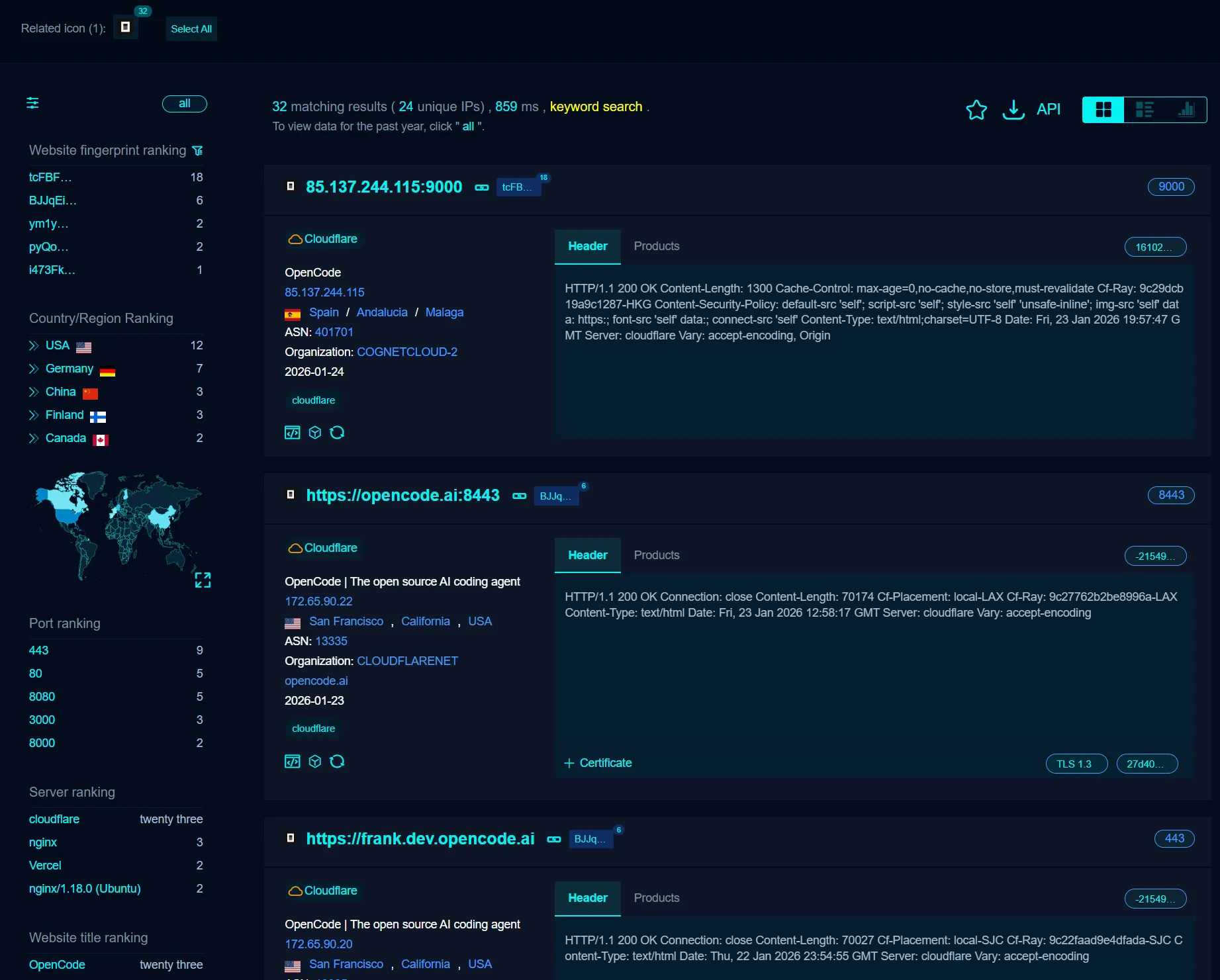
Thirty two sounds small for a search engine result and it is not. That is 32 development environments reachable from the open internet. OpenCode is easy to customise so a build that changes the title will not show up here at all.
How to Secure It
OpenCode ships a way to lock the web UI down. You have to turn it on.
1. Set a Password
Set a password before you start the server so nobody can reach the UI without it.
Run this command before you start the web server.
opencode --set-password <your-strong-password>You can also set the OPENCODE_SERVER_PASSWORD environment variable instead.
2. Don’t Expose to the Internet
Do not forward the port to the internet unless a VPN or tunnel sits in front of it. Keep it on 127.0.0.1 or on a LAN you control.
Conclusion
I recommend OpenCode. A tool that can rewrite your files and run your shell has to be treated like one.
Set the password before you start it. That is the whole lesson.