OpenCode Web: Great Tool, Dangerous Default
The Better Alternative?
I’ve been using OpenCode recently, and honestly, it feels like a superior alternative to Claude Code in many ways. It supports multiple LLM providers (Ollama, OpenAI, Anthropic, etc.), it’s open-source, and it feels faster. The flexibility to swap models on the fly makes it a powerhouse for local development.
However, like many developer tools in this space, it includes a “Web UI” mode (opencode web) that transforms your CLI into a browser-based application. This is great for usability, but it opens a massive security hole if you aren’t careful.
The Risk
When you run opencode web, it spins up a server. If you bind this to 0.0.0.0 (all interfaces) to access it from another device on your network, you are potentially exposing a remote code execution (RCE) vulnerability to the entire internet.
Just like the Claude Code Web UI I wrote about previously, OpenCode’s web interface allows the user to run commands, edit files, and interact with the shell. Without authentication, anyone who finds your IP address becomes the admin of your machine.
The Exposure (FOFA Search)
I ran a quick check on FOFA to see if this was happening in the wild.
Search query: title="OpenCode"

I found 32 exposed hosts immediately.
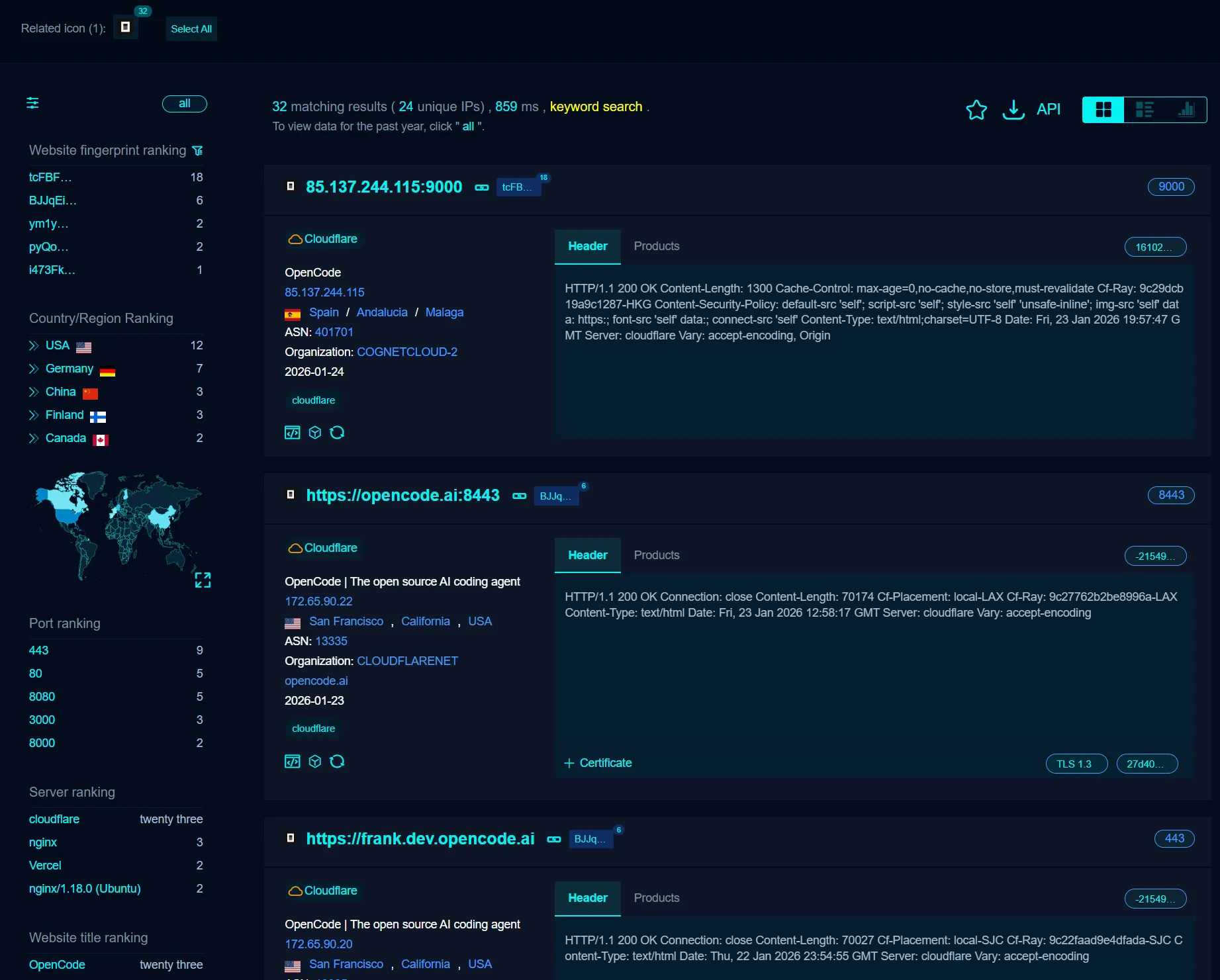
While 32 might sound low, remember that this is a niche developer tool. That’s 32 developers who have likely accidentally exposed their entire development environment to the public web. Since OpenCode is customizable, many users might be running modified versions that don’t show up in this simple title search, meaning the real number is likely higher.
How to Secure It
The developers of OpenCode have actually included a security mechanism, but you have to use it.
1. Set a Password
You can lock down the web UI by setting a password. This simple step prevents unauthorized access.
Run this command before starting the web server:
opencode --set-password <your-strong-password>Alternatively, you can set the OPENCODE_SERVER_PASSWORD environment variable.
2. Don’t Expose to the Internet
Unless you have a very specific reason (and a VPN/Tunnel), do not forward the OpenCode port to the public internet. Keep it on localhost (127.0.0.1) or strictly within your trusted local network (LAN).
Conclusion
OpenCode is an amazing tool that I highly recommend for its multi-model support and speed. But “powerful” means “dangerous” if you strip away the safeguards.
Don’t let your coding assistant become an attacker’s entry point. Set a password.
Enjoyed this post? Buy me a coffee ☕ to support my work.
Need a project done? Hire DevHive Studios 🐝